Stop wasting film.
Start cutting with precision.
Desktop cutting software built by installers, for installers — not adapted from sign shop tools. Lay out your parts, nest them tight on the roll, and cut straight to the Graphtec already sitting in your bay.
No new cutter to buy. No hardware you're locked into. No subscription to a machine you already paid for.
- Works with your Graphtec
- Windows desktop app
- Multi-machine plans
Everything the cut needs. Nothing it doesn't.
Three things decide whether a job is profitable. ShopCut is built around all three.
Built around the cut, not the drawing
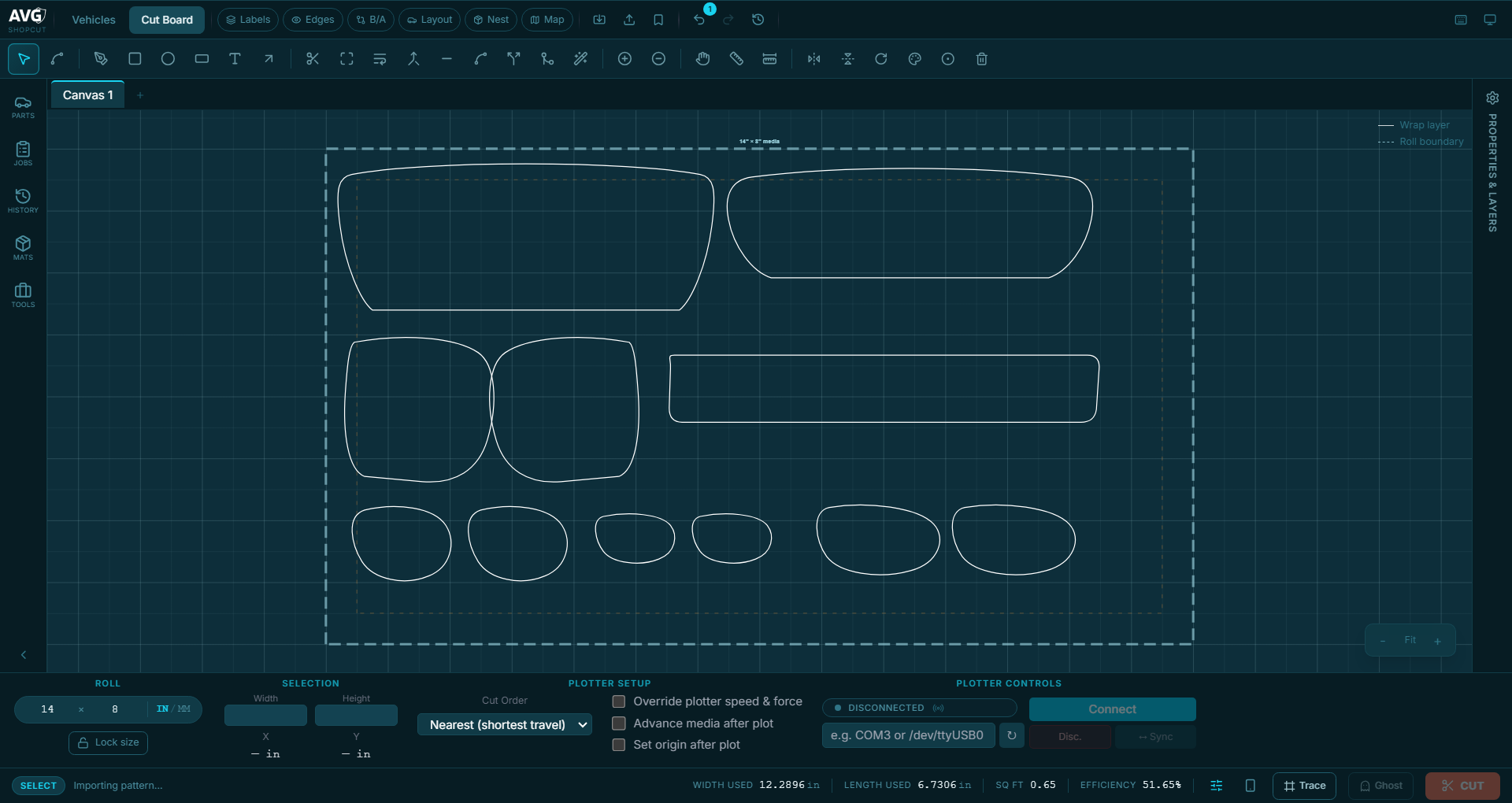
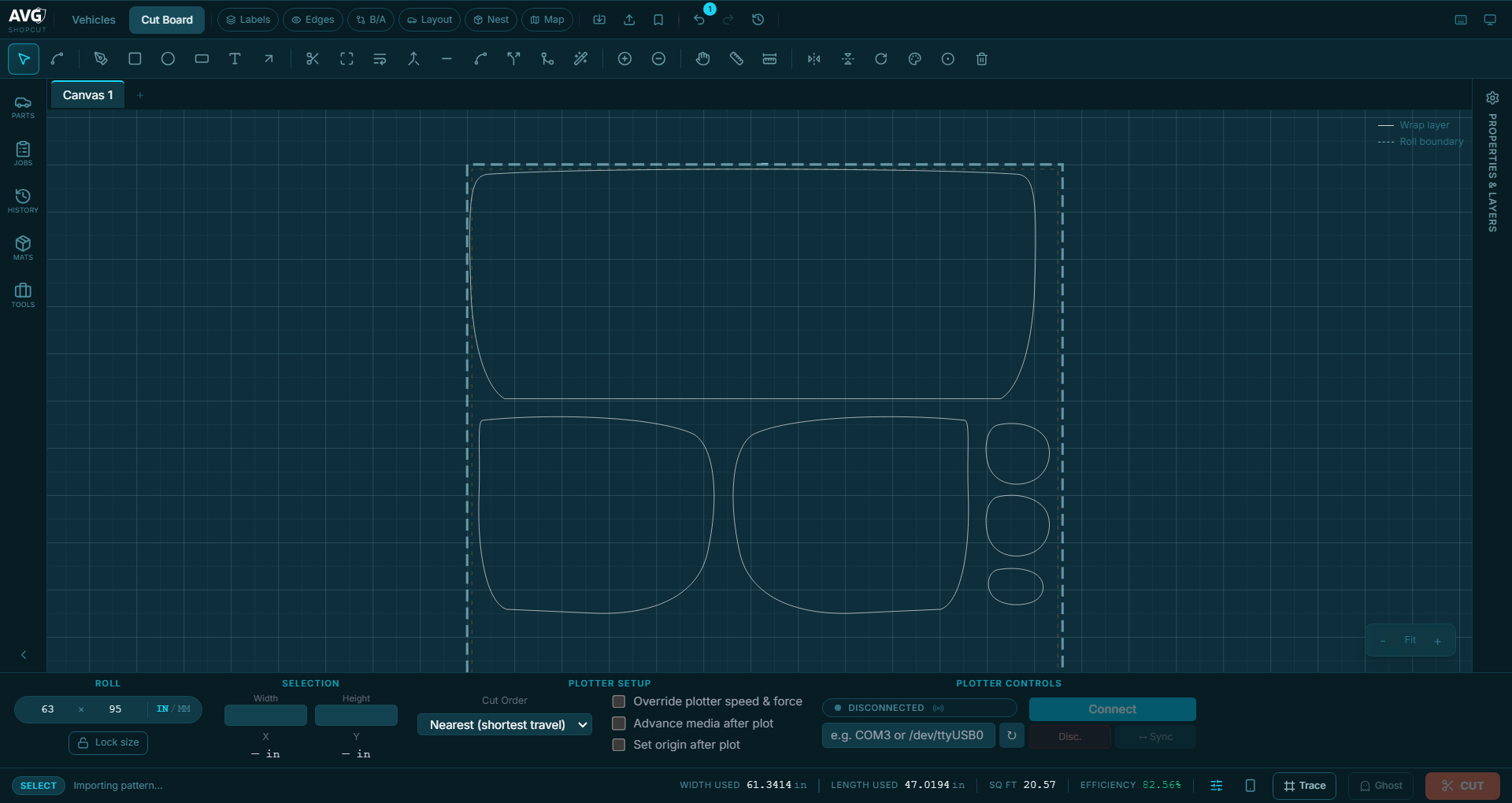
Most design tools treat a cut like a shape on a page. ShopCut treats it like film on a roll that costs money — so the canvas knows your material width and shows you exactly what a job will consume before you commit to it.
- Live roll boundaries — parts are positioned against real material edges, not an abstract page.
- Tight nesting — pack parts to fit more per foot instead of eyeballing the gaps.
- Material readout — see the film a job uses while you are still arranging it.
Direct plotter control
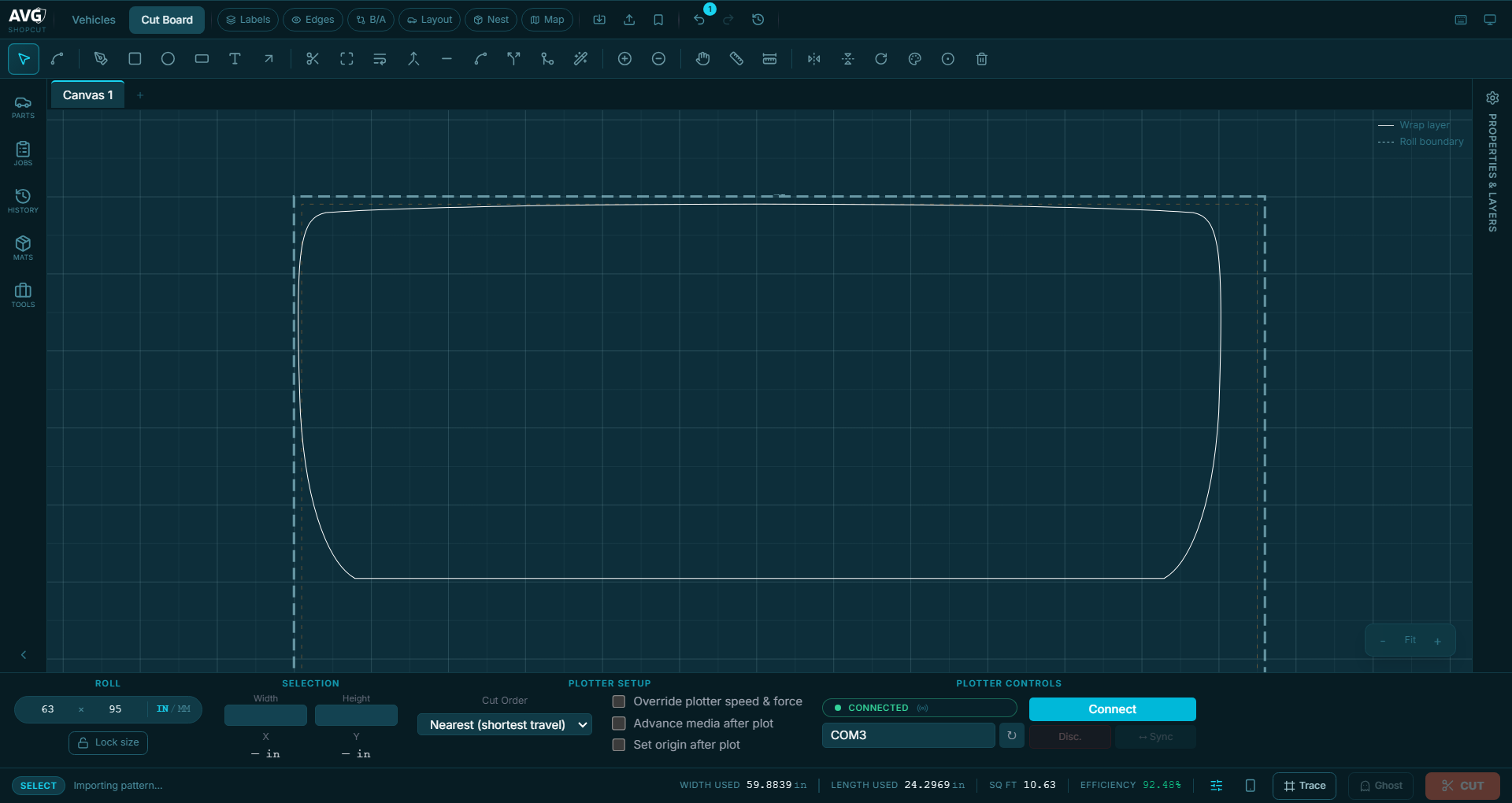
No exporting, no third-party cutting utility, no rediscovering your settings every morning. ShopCut talks to the plotter itself and stays with the job from first line to last.
- Send straight to the cutter — Graphtec plotters over USB or serial.
- Speed and force, per job — dial them in, run a calibration square, keep what works.
- Job progress — see each part go to the cutter, and what the job has left.
Thousands of ready-to-cut patterns
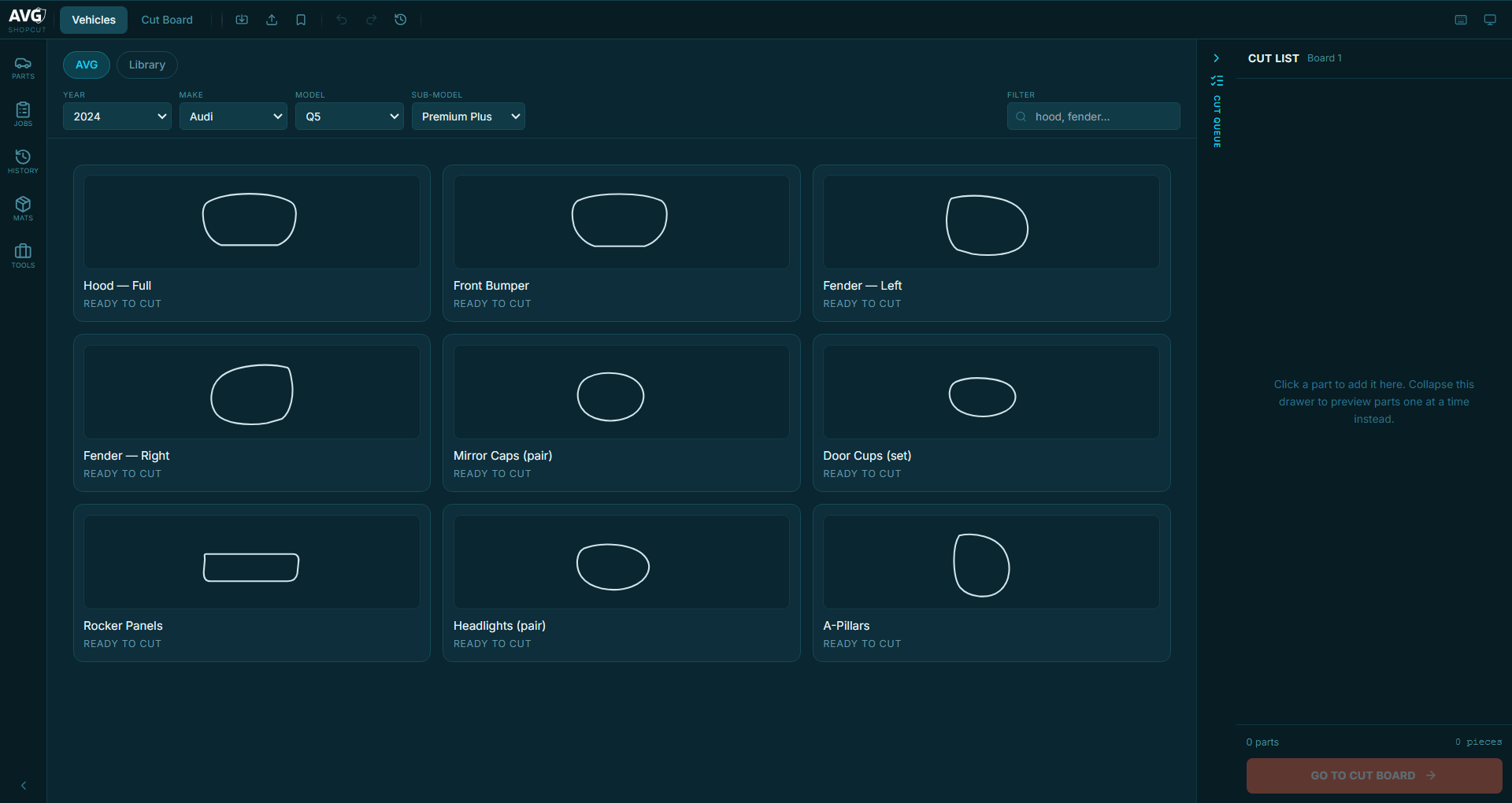
Pick the vehicle, pick the panels, send it. A deep library of vehicle templates is there when you want it — and when a job calls for something custom, you have the tools to draw it, trace it and edit it properly rather than settling for the closest match.
- Find it by vehicle — narrow to the make, model and panel you are working on.
- Preview before you cut — see the part on the board first, not after the film is gone.
- Or make your own — build a custom pattern, sticker or precut from your artwork or a traced shape, then edit it until it fits.
Made for a shop, not a studio
A cutting app earns its keep on the bad days, not the good ones.
Updates arrive on their own
New versions install themselves in the background. No IT visit, no USB stick, no bay sitting on a build from eight months ago.
Recovers what you had open
Layouts are saved as you work. A restart, a power blip or a bad afternoon doesn't cost you the hour you just spent arranging a hood.
Runs on the gear you own
A standard Windows PC and the Graphtec already in your bay. No new cutter to buy, no subscription to a machine you paid for years ago.
Built by installers, for installers
ShopCut didn't come out of a software company. It has been built over the last year and a half in a working PPF shop, alongside certified installers, on the same Graphtec it now drives — because the tools we could buy were made for sign shops and every job made that obvious.
Every part of it started as something that was costing us money — film lost to a loose layout, settings to find again every morning, a job pushed through a third app just to reach the cutter. So it ended up with the tools the work actually needs: build a custom pattern, a sticker or a precut, and edit it properly — adjust the shape, fix the edge, make it fit the panel in front of you — instead of fighting software that was never meant to.
It is also why we are rolling out slowly. When something breaks in your shop, you will be talking to the person who wrote it — not a ticket queue, and not somebody who has never pulled film over a bumper.
Put it in your shop
ShopCut is in beta: it cuts real work in real shops today, and it is rolling out to a small number of them at a time so each one gets set up properly and we can act on what breaks. Running more than one bay? Plans can be issued with multiple licences — tell us how many machines you run and we'll size it with you.
No card, no commitment — just a conversation.